DYOR.io Homepage and Its Features: A Tour From Top to Bottom
What you find on the DYOR.io home page today: the TON network under the headline, the tokens table and its tabs, Trending dapps, boosts, and the tools that come with DYOR Membership.


The DYOR.io home page is the shortest way into TON: how the network is doing, which tokens people trade and which dapps they use, on one page. Here is what you find on it, from top to bottom.
🧭 The ticker and the header
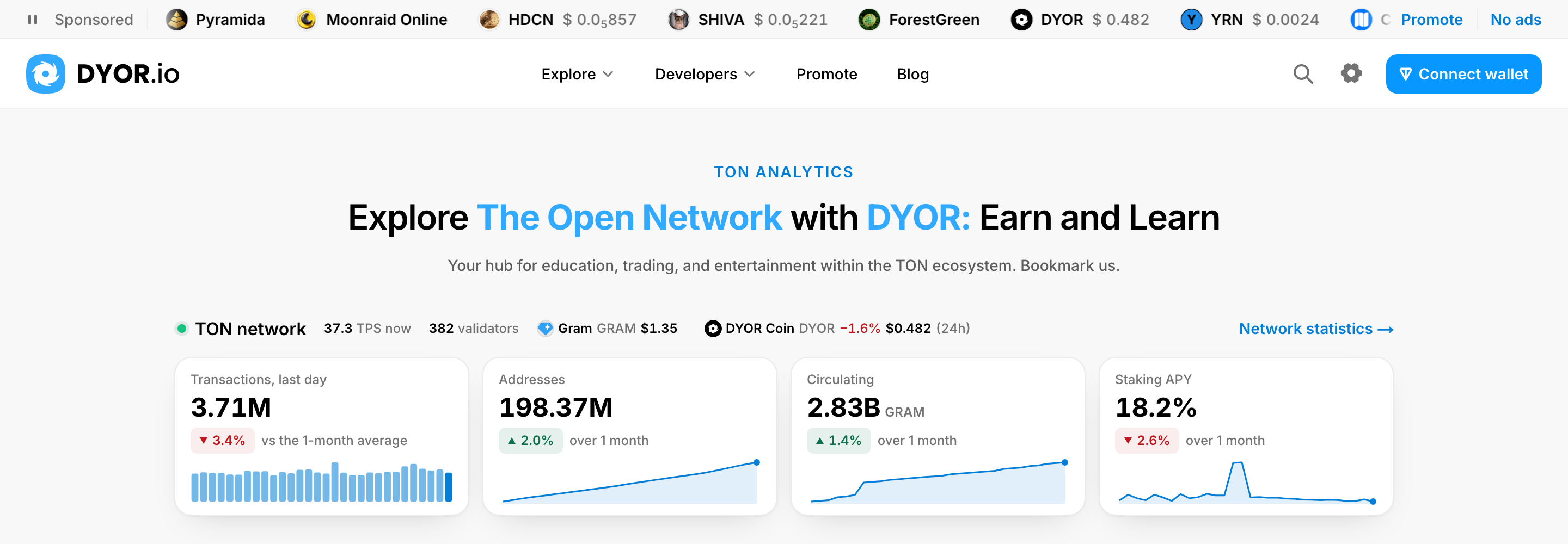
Unless you have DYOR Membership, a thin ticker runs along the top of the page. It shows the tokens and dapps their founders promote on DYOR, under the Sponsored label. It stops while your mouse is over it, and its pause button stops it until you press it again. Promote at its end is for founders, and No ads leads to DYOR Membership. When nothing is promoted, it reads Your token or dapp here. Members see no ticker.
Below it is the header every DYOR page shares: the Explore and Developers menus, Promote, Blog, a magnifier that opens search, your settings and your wallet. On a phone, a bar at the bottom of the screen takes you to Home, Dapps, Swap, Tokens and Menu.
🌐 The TON network
Under the headline, Explore The Open Network with DYOR: Earn and Learn, the TON network block shows how the chain is doing: its TPS, the number of validators, and the GRAM and DYOR prices with their 24-hour change. Four tiles follow: Transactions, last day, Addresses, Circulating and Staking APY, each with a 30-day sparkline and its change over the last month. On a phone, swipe the tiles sideways.
Every tile, and Network statistics →, opens the full statistics page. What each figure means is in TON network statistics on DYOR. When the network figures are not available, the block is left out and the GRAM and DYOR prices stand under the headline instead.
🪙 The tokens table
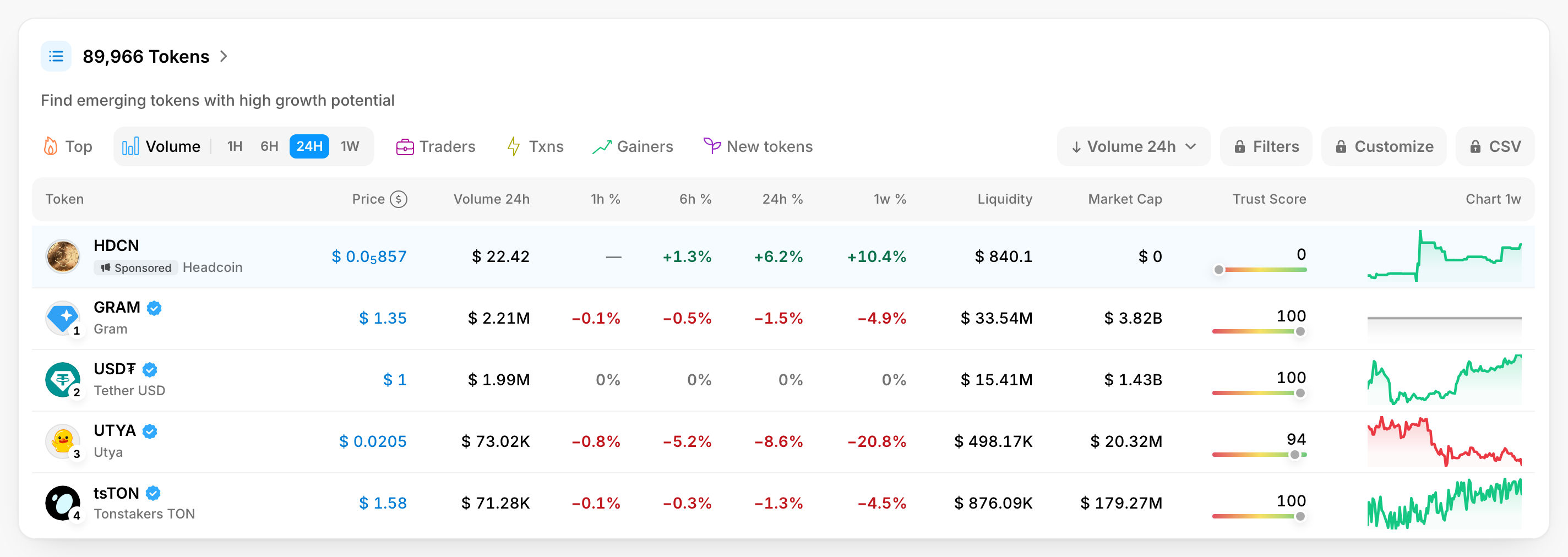
The Tokens card, whose title counts the tokens on DYOR, holds the table of the tokens page, cut to its first four rows. It opens on Volume over the last 24 hours. The other tabs rank tokens other ways:
- Top, by Market cap, Holders or Liquidity;
- Volume, Traders, Txns and Gainers, each over 1H, 6H, 24H or 1W;
- New tokens, the latest listings.
Rank by orders the table by a figure of your choice instead, such as Market Cap, Trust Score or Boosts, descending or ascending.
On the Volume tab a row shows the Price, Volume 24h, the price change over an hour, 6 hours, a day and a week (1h % to 1w %), Liquidity, Market Cap, DYOR's Trust Score and a one-week chart. Explore More Tokens opens the whole list on the tokens page, on the tab you were on.
Unless you have DYOR Membership, one Sponsored row sits above rank 1: a token its founders promote, or Your token here with Promote when no token is promoted. On a phone, the Table / Frame view switch above the table turns the rows into cards (more about Frame view).
🔒 Filters, Customize and CSV
Three tools of the table come with DYOR Membership:
- Filters: ranges for liquidity, market cap, FDV, holders, age and Trust Score, and activity from 1 hour to 1 week;
- Customize: up to 10 columns of your choice on each tab, in your order;
- Export CSV: the rows on screen, with their columns, as a file.
Without membership they carry a lock, and pressing one shows what membership includes. With it, the home page has no ticker, no sponsored row and no sponsored dapps. More in DYOR Membership.
⚡ Boosts instead of votes
The Top Voted tab and the heart beside a token's name are gone: tokens now collect boosts. On a token's page, the Boosts card shows how many it has, and its Boost button adds yours. To see the tokens with the most boosts, pick Boosts in Rank by, or follow Boosts on a token's card. Free and paid boosts are explained in Token boosts on DYOR.
🧩 Dapps and Trending
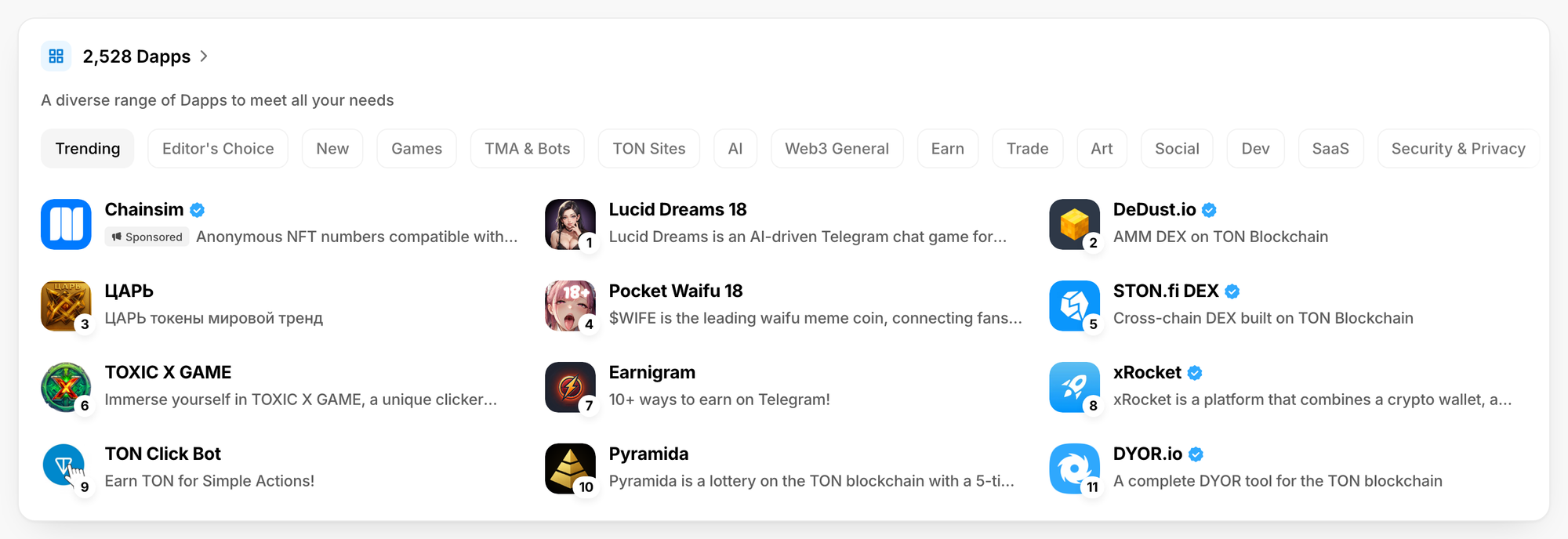
The Dapps card, whose title counts the dapps in the catalogue, opens on Trending, and the catalogue's categories follow in the tabs. Each tab shows twelve dapps. Unless you have DYOR Membership, the card starts with up to three Sponsored dapps, and the first card of Trending is a sponsored dapp with no rank, so the trending dapps keep their ranks 1, 2, 3… Explore More Dapps opens the catalogue, or the category you picked. On a phone, swipe the cards sideways.
📰 Articles and questions
Featured Articles shows the four newest posts from this blog, and See More Articles opens it. The FAQ below answers What is DYOR.io?, Key advantages of DYOR.io, How does DYOR.io work? and Who is DYOR.io for?
🔗 The footer
At the bottom are DYOR's products (Minter, Charts, Network statistics, DYOR TON API and more), the legal pages, support links such as Promote your project and Token verification, and DYOR's social channels.
🚀 For founders
Want your token or dapp in the ticker, in the table's sponsored row or first in Trending? Start at Promote your project.